
From Login to Dashboard: How JWTs Work, Step by Step
How JWTs work, request by request: how the token is created, what each part holds, how servers validate it without a database call, and the security pitfalls.

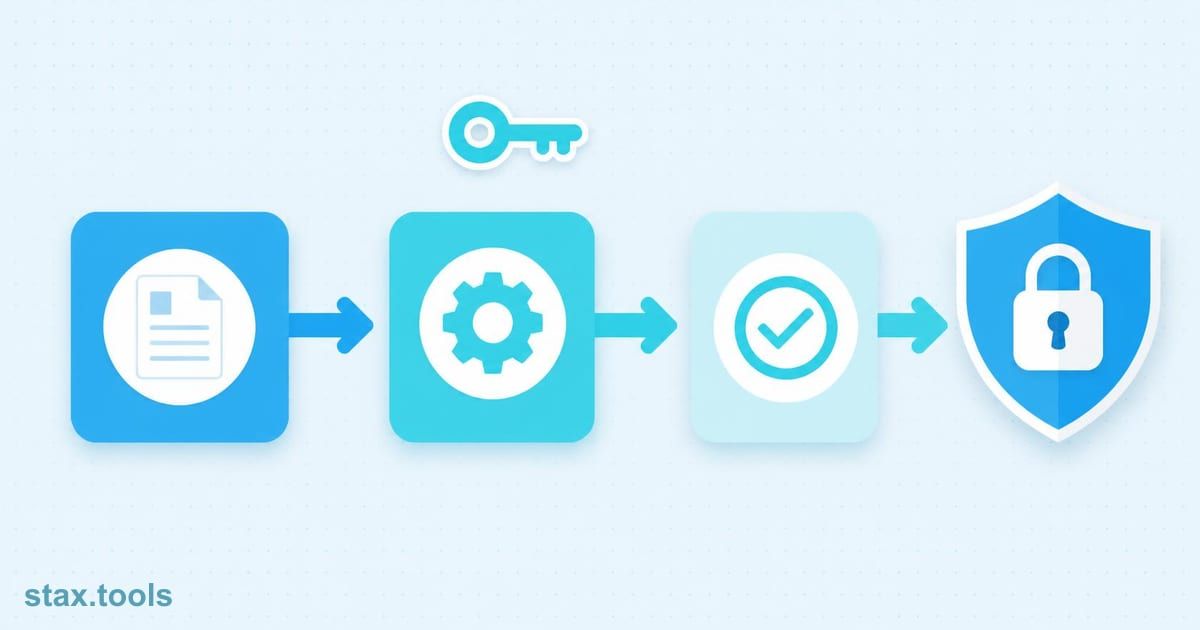
Arjun opens a fintech app, types his email and password, taps Login. Half a second later he's looking at his portfolio dashboard with his name in the top-right corner. He closes the app, opens it an hour later, and he's still logged in — no password prompt.
What happened between that Login tap and the dashboard? And how does the server know who Arjun is on every request that follows, without asking him to log in again?
The answer, in most modern web and mobile applications, is a JSON Web Token.
The problem JWT solves
Traditional session authentication works like a coat check: the server stores your session in memory or a database (the coat), gives you a ticket (session ID cookie), and looks up your details from storage on every request.
This works until you have multiple servers. Server A created the session; Server B has no record of it. Solutions exist — sticky sessions, shared Redis — but they add complexity and a single point of failure.
JWT takes the opposite approach: instead of storing session state on the server, the server signs a token that contains all the necessary information and sends it to the client. On every subsequent request, the client presents the token. The server verifies the signature — a computation, not a database lookup — and trusts the contents.
The server becomes stateless. Any server with the signing key can validate any token. No shared session store required.
Arjun's login: what actually happens
Request 1 — Login:
Arjun's app sends POST /auth/login with his email and password. The server:
- Looks up his email in the database — finds his record
- Compares the submitted password against the stored bcrypt hash — match
- Constructs a JWT payload with his user ID, email, and an expiry time
- Signs the token using a secret key
- Returns the token in the response body
The app stores this token — typically in memory, an HttpOnly cookie, or (less ideally) localStorage.
Request 2 — Dashboard:
Arjun's app sends GET /portfolio with the token in the Authorization header:
Authorization: Bearer eyJhbGciOiJIUzI1NiIsInR5cCI6IkpXVCJ9...
The server:
- Splits the token into its three parts
- Re-computes the expected signature using the secret key
- Compares it to the signature in the token — match
- Checks the expiry claim — not expired
- Trusts the user ID in the payload — no database lookup needed
- Returns Arjun's portfolio data
What's inside the token
A JWT looks like three Base64url-encoded strings joined by dots:
eyJhbGciOiJIUzI1NiIsInR5cCI6IkpXVCJ9
.
eyJ1c2VySWQiOiI0MjMiLCJlbWFpbCI6ImFyanVuQGV4YW1wbGUuY29tIiwiaWF0IjoxNzE5MDU2MDAwLCJleHAiOjE3MTkxNDI0MDB9
.
SflKxwRJSMeKKF2QT4fwpMeJf36POk6yJV_adQssw5c
Part 1 — Header:
{
  "alg": "HS256",
  "typ": "JWT"
}
The algorithm used to sign the token. HS256 (HMAC-SHA256) uses a shared secret. RS256 (RSA-SHA256) uses a public/private key pair — the server signs with the private key; any service can verify with the public key.
Part 2 — Payload (claims):
{
  "userId": "423",
  "email": "arjun@example.com",
  "role": "user",
  "iat": 1719056000,
  "exp": 1719142400
}
Claims are the data the token carries. Standard claims:
iat— issued at (Unix timestamp)exp— expiry (Unix timestamp) — the server rejects tokens past this timesub— subject (typically the user ID)iss— issuer (which service created the token)aud— audience (which service should accept the token)
Custom claims (like role, email) can be added freely.
Part 3 — Signature:
HMACSHA256(
  base64url(header) + "." + base64url(payload),
  secret
)
The signature ties the header and payload together. If either is modified, the signature check fails.
Paste any JWT into the Stax JWT Decoder to inspect all three parts without writing any code — our JWT decoder guide walks through each field in more depth.
The critical security property: the payload is readable, not secret
This surprises most developers: the JWT payload is Base64url-encoded, not encrypted. Anyone who has the token can decode the header and payload and read the claims in plain text. Try it in a browser console:
const [header, payload] = token.split('.');
console.log(JSON.parse(atob(payload)));
// { userId: "423", email: "arjun@example.com", exp: 1719142400 }
What prevents tampering is the signature — you can read the payload, but you cannot modify it without invalidating the signature (assuming you don't have the secret key). To see this for yourself, drop either of the first two segments into a Base64 encoder/decoder and decode it — the raw JSON claims come straight back out.
Implication: Never put sensitive data in a JWT payload. No passwords, no payment card numbers, no PII beyond what's necessary for routing. Treat the JWT payload as public information.
If you need the payload to be confidential, use JWE (JSON Web Encryption) — a different standard that encrypts the payload. Most applications don't need this.
The token lifecycle: issue, use, expire, refresh
A JWT with a long expiry is convenient but dangerous — a stolen token remains valid until expiry. A JWT with a short expiry (15–60 minutes) is more secure but annoying — Arjun gets logged out mid-session.
The standard solution: two-token pattern.
- Access token: Short-lived (15–60 minutes). Sent with every API request. If stolen, it's only valid for a short window.
- Refresh token: Long-lived (days or weeks). Stored more securely (HttpOnly cookie). Used only to obtain a new access token when the current one expires.
The refresh flow:
- Access token expires → client sends
POST /auth/refreshwith the refresh token - Server validates the refresh token (typically checked against a database of valid refresh tokens)
- Server issues a new access token (and optionally a new refresh token)
- Client continues with no interruption
The refresh token is stored server-side in a revocation list, which is why it can be invalidated (logout, security event, device management). The access token cannot be revoked before expiry — this is the fundamental tradeoff of stateless auth.
Four security mistakes that make JWTs dangerous
1. Accepting the none algorithm
Early JWT libraries allowed an alg: none header, meaning "no signature — trust the payload." An attacker could strip the signature, set alg: none, and modify claims freely. Any library that accepts none without explicit configuration is broken. Validate that the algorithm is one you explicitly allow.
2. Symmetric keys in multi-service architectures
HS256 uses one secret shared between all services that issue and verify tokens. If any service is compromised, the attacker can forge tokens accepted by all other services. For multi-service architectures, use RS256 (asymmetric): the issuing service holds the private key; verifying services only need the public key.
3. Storing JWTs in localStorage
localStorage is accessible to JavaScript running on the page. A single XSS vulnerability gives an attacker access to every token in localStorage. Prefer HttpOnly cookies (inaccessible to JavaScript) for token storage. The tradeoff is CSRF exposure — mitigated by requiring a SameSite cookie attribute and CSRF tokens on state-mutating endpoints.
4. Not validating the exp claim
The signature check confirms the token wasn't tampered with. It does not confirm the token isn't expired — that's a separate check. Some early JWT implementations only checked the signature. A stolen token from six months ago should not grant access. Always validate exp before trusting the claims.
When JWT is the wrong tool
JWT is stateless by design. This means:
- You cannot invalidate a specific token before its
exp— the only workarounds are maintaining a blocklist (you've reintroduced state) or using very short expiries with refresh tokens - You cannot see all active sessions without additional infrastructure
- Token size — JWTs are larger than session IDs and are sent with every request
For applications where immediate revocation matters (financial apps after a suspicious login, enterprise apps with "log out everywhere"), opaque tokens (random IDs looked up in a database) are often a better fit than stateless JWTs. The right answer depends on scale and security requirements.
By Harshil Shah, developer and founder at Stax Tools.
Sources & methodology
- RFC 7519 — JSON Web Token (JWT) specification, IETF, May 2015
- RFC 7515 — JSON Web Signature (JWS), IETF, May 2015
- OWASP JSON Web Token Cheat Sheet — applicable guidance, OWASP Cheat Sheet Series
- Auth0 — "Critical vulnerabilities in JSON Web Token libraries" — the
nonealgorithm vulnerability (2015 disclosure)
Harshil
Developer & Founder, stax.tools
Harshil is the developer behind stax.tools, building privacy-first tools that run entirely in your browser.
More by Harshil →Tools mentioned in this article
Related reading
 What is a JWT? How to decode and verify JSON Web TokensJSON web tokens (JWTs) are everywhere in web auth, but what's inside? Learn to decode, read and verify them instantly without installing anything.10 min read
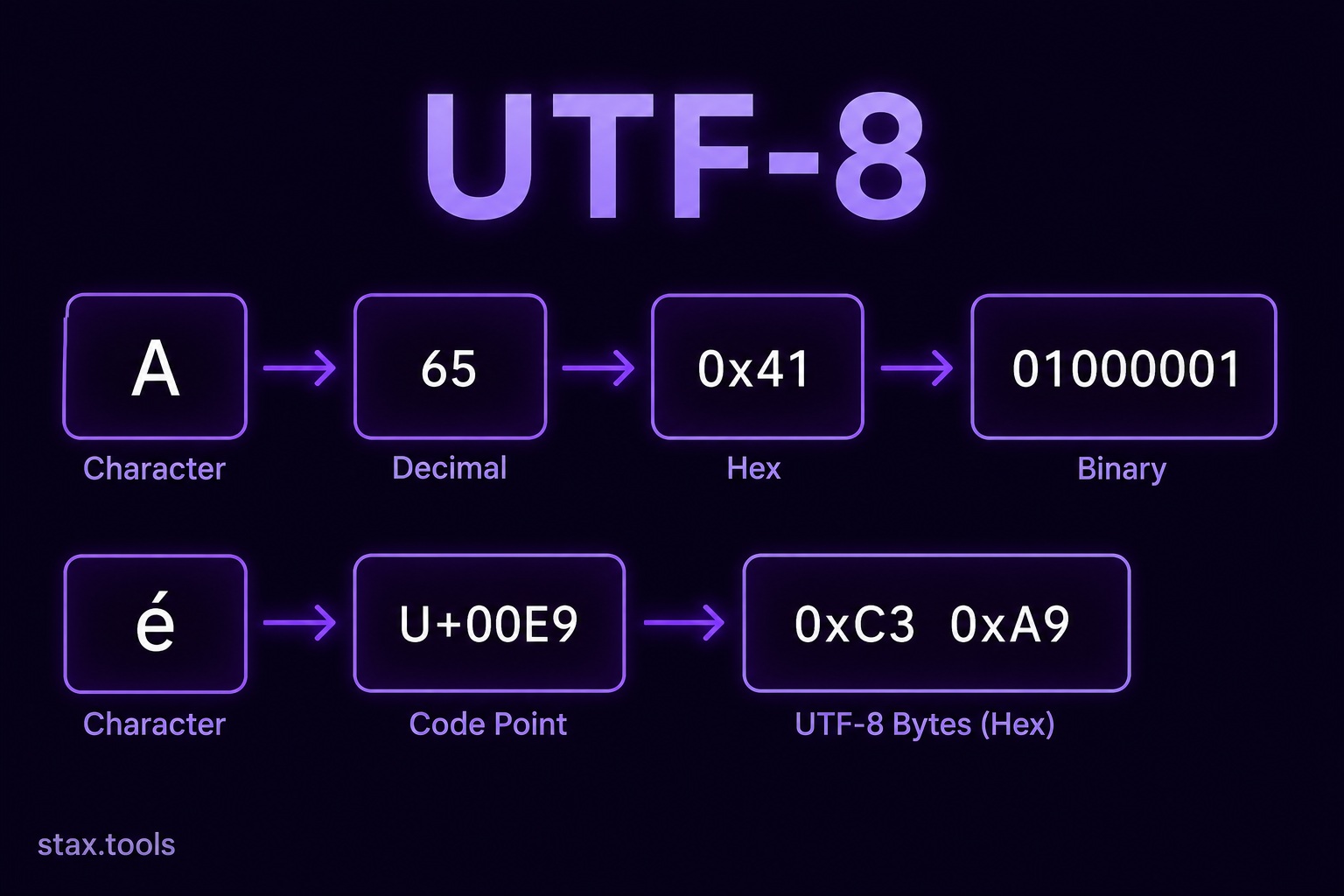 UTF-8, Unicode and Character Encoding: A Developer GuideWhy mojibake happens, how Unicode code points map to UTF-8 bytes, how ASCII, Unicode and UTF-8 differ and why 'just use UTF-8' still needs understanding.6 min read
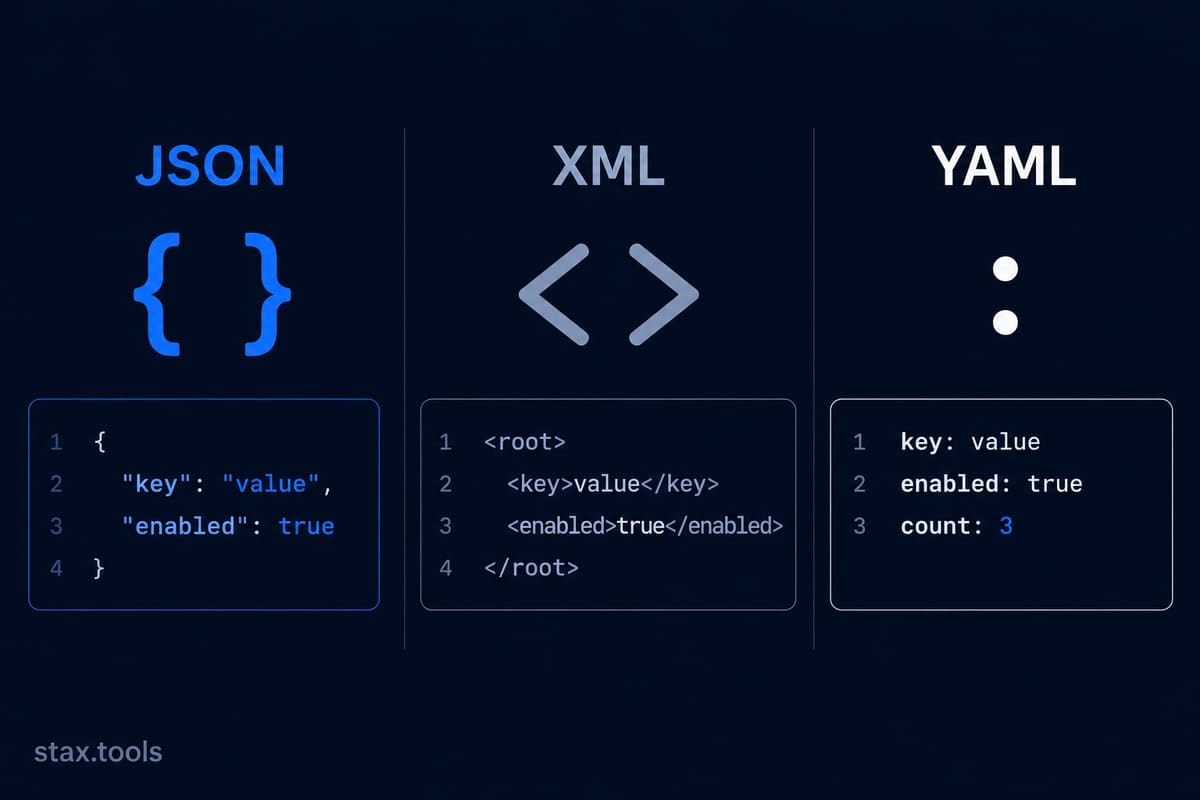 JSON vs XML vs YAML: Choosing the Right Data FormatJSON vs XML vs YAML: a scenario-first comparison of syntax, use cases, performance, readability and schema validation, and where each format wins.6 min read
 How to Read and Write a Cron Expression: The Complete GuideUnderstand cron syntax step by step: the five fields, special characters, common patterns, timezone pitfalls and how to validate expressions before deploying.6 min read
Found this useful?
Browse 235+ free privacy-first tools — no login, no uploads, instant results.