
JSON vs XML vs YAML: A Practical Guide to Choosing the Right Data Format
When should you use JSON, XML, or YAML? A scenario-first comparison covering syntax, use cases, performance, human readability, schema validation, and the one situation where each format wins.

This article is currently only available in English. A 日本語 translation is coming soon.
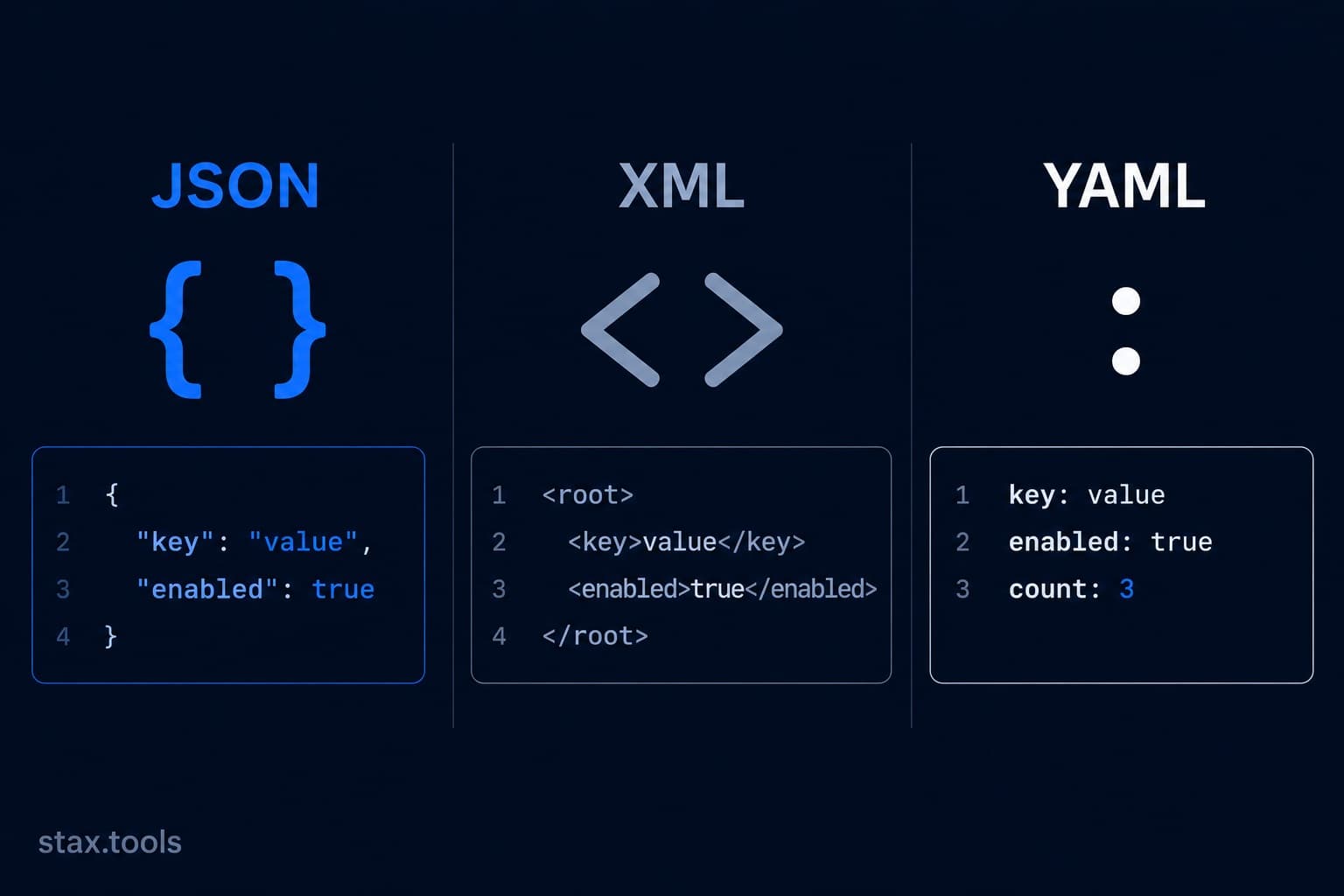
It's Monday morning. You're designing the configuration format for a new microservice. Should it be JSON? YAML? Your lead says "just use what the team knows." The senior on the other team says XML "because the enterprise integration layer expects it." You leave the meeting having chosen nothing.
The three formats genuinely have different strengths. Here is where each one wins — with enough context to make the decision confidently.
The same data in all three formats
// JSON
{
  "server": {
    "host": "api.stax.tools",
    "port": 8080,
    "tls": true,
    "allowedOrigins": ["https://stax.tools", "https://app.stax.tools"]
  }
}
<!-- XML -->
<server>
  <host>api.stax.tools</host>
  <port>8080</port>
  <tls>true</tls>
  <allowedOrigins>
    <origin>https://stax.tools</origin>
    <origin>https://app.stax.tools</origin>
  </allowedOrigins>
</server>
# YAML
server:
  host: api.stax.tools
  port: 8080
  tls: true
  allowedOrigins:
    - https://stax.tools
    - https://app.stax.tools
Same data. Different verbosity. Different readability. Different failure modes. Different tooling support.
Convert between all three instantly at the Stax JSON/YAML/TOML Converter.
JSON: the universal API language
JSON (JavaScript Object Notation) won the API format wars that raged through the late 2000s. By 2015, JSON had displaced XML as the default response format for new REST APIs. Today, the assumption is JSON unless stated otherwise.
Why JSON won:
- Native to JavaScript (no parsing step in the browser)
- Clean, minimal syntax with six data types: string, number, boolean, null, array, object
- Every language has a fast, battle-tested JSON library
- Easy to read and write by hand for simple structures
JSON's real limitations:
- No comments. You cannot annotate a JSON config file without hacks (
"_comment"fields, or pre-processing) - All keys must be quoted strings.
{name: "value"}is invalid — it must be{"name": "value"} - No support for multi-line strings without escape sequences
- No schema enforcement built in (JSON Schema is separate)
- Numbers have precision limits from IEEE 754 — large integers above 2⁵³ lose precision
JSON wins when: You're building a REST or GraphQL API, storing data in a NoSQL document store (MongoDB, Firestore), passing messages between microservices, or writing a configuration file that will be machine-generated rather than hand-edited.
Format and validate JSON at the Stax JSON Formatter.
XML: the enterprise survivor
XML (eXtensible Markup Language) is older (1998), more verbose, and frequently dismissed as legacy. It is also the only format with a fully standardised schema system, namespace support, transformation language (XSLT), and query language (XPath/XQuery). No other format comes close to XML's tooling depth for structured document processing.
Where XML remains the right choice:
- SOAP web services: Enterprise integrations, banking APIs, insurance systems, government platforms — many still use SOAP/WSDL, which is XML-based and not being replaced any time soon
- Document formats: DOCX, XLSX, SVG, RSS, Atom, XHTML are all XML. If you're processing Office files, SVG graphics, or feed content, you're working with XML whether you call it that or not
- Schema validation: XML Schema (XSD) provides rigorous type enforcement, namespace validation, and complex constraint rules that JSON Schema cannot fully replicate
- Mixed content: XML can naturally express a paragraph that contains both text and markup (
<p>This is <em>important</em></p>). JSON cannot represent this without awkward workarounds
XML's real problems:
- Verbose: the config example above is ~50% larger than JSON
- No native array type —
<origin>repeated multiple times requires convention, not syntax - Parsing is slower and more memory-intensive than JSON at scale
- CDATA sections for literal text are confusing to hand-write
XML wins when: You're integrating with legacy enterprise systems, processing document formats (DOCX, SVG), publishing RSS/Atom feeds, or need XSD schema validation with namespace support.
Format XML at the Stax XML Formatter.
YAML: the configuration-file choice
YAML (YAML Ain't Markup Language) was designed to be maximally human-readable. It achieves this by using indentation and whitespace instead of brackets and quotes. A YAML file looks closer to written English than code.
YAML's strengths:
- Native support for comments (
#— the feature JSON explicitly lacks) - Multi-line strings without escape sequences (
|block literal,>folded scalar) - Cleaner list and map syntax for hand-written config
- Widely adopted: Kubernetes, Docker Compose, GitHub Actions, Ansible, Helm, CircleCI, Travis CI all use YAML
- Anchors and aliases (
&anchor,*alias) allow reuse of repeated values within a file
YAML's infamous problems: The YAML specification is notoriously complex — the 2001 spec is 86 pages. Real-world parsing issues include:
- The Norway problem:
NOin YAML 1.1 parses as the booleanfalse. Country codes, month names, and yes/no/on/off/true/false are reserved booleans. YAML 1.2 (2009) fixed this, but many parsers still implement 1.1 - Indentation errors are silent: A wrong number of spaces changes the meaning without an obvious error. JSON's braces make structure explicit
- Tab characters are forbidden: YAML requires spaces, not tabs. A tab mixed with spaces silently corrupts structure
- Large file performance: YAML parsers are significantly slower than JSON parsers. For large datasets, YAML is the wrong choice
| Format | Comments | Multi-line strings | Schema validation | Comments in config | Used by |
|---|---|---|---|---|---|
| JSON | ❌ | ❌ (escape only) | JSON Schema (external) | ❌ | REST APIs, databases |
| XML | ✅ (<!-- -->) |
✅ (CDATA) | XSD (built into ecosystem) | ✅ | SOAP, documents, enterprise |
| YAML | ✅ (#) |
✅ (block literals) | Limited (third-party) | ✅ | DevOps config, Kubernetes |
Performance: does format matter at scale?
At 1,000 requests/second with small payloads (< 10 KB), format choice is irrelevant. At large scale with megabyte payloads, parsing cost matters.
Rough relative parsing performance (JSON = 1.0x as baseline):
- JSON: 1.0x (fastest for data exchange — simson/json benchmarks)
- YAML: ~10–30x slower than JSON depending on structure and parser
- XML: ~2–5x slower than JSON for data (faster with SAX streaming for large files)
For high-throughput data pipelines, if human readability is not required, consider MessagePack or Protocol Buffers instead — they outperform all three text formats by 5–10x on throughput and ~3x on payload size.
The decision in one table
| Use case | Best format | Why |
|---|---|---|
| REST API responses | JSON | Universal browser/JS support |
| Human-edited config files | YAML | Comments, readability |
| Machine-generated config | JSON or TOML | No indentation fragility |
| Enterprise / SOAP integration | XML | Required by the standard |
| Kubernetes / Helm / Docker | YAML | Platform requirement |
| Document storage (MongoDB) | JSON (BSON) | Native document model |
| RSS / Atom feeds | XML | Standard format |
| SVG graphics | XML | SVG is XML |
| High-performance data pipeline | Protobuf / MessagePack | Not a text format; fastest |
By Harshil Shah, developer and founder at Stax Tools. Performance benchmarks based on simdjson and yaml-cpp published benchmarks; treat as indicative rather than absolute.
Sources & methodology
- YAML 1.2 Specification — yaml.org/spec/1.2 (YAML Ain't Markup Language)
- RFC 8259 — The JavaScript Object Notation (JSON) Data Interchange Format, IETF, December 2017
- W3C XML 1.0 Fifth Edition — w3.org/TR/xml
- simdjson benchmark results — github.com/simdjson/simdjson/blob/master/doc/performance.md
Harshil
Developer & Founder, stax.tools
Harshil is the developer behind stax.tools, building privacy-first tools that run entirely in your browser.
More by Harshil →Found this useful?
Browse 235+ free privacy-first tools — no login, no uploads, instant results.