
Form 26AS vs AIS: How to Read, Match, and Fix Discrepancies Before Filing ITR
Most taxpayers file ITR using only Form 26AS — but the department already sees your savings interest, dividends, MF redemptions, and property deals via AIS. Here's how to read both, spot mismatches before July 31, and submit feedback when AIS is wrong.

This article is currently only available in English. A हिन्दी translation is coming soon.
Disclaimer: This article is for educational purposes only and does not constitute financial advice. The author is not a SEBI-registered advisor or certified financial planner. Please consult a qualified professional before making any investment or tax decisions.
Every year, millions of salaried taxpayers download Form 26AS, confirm the TDS matches their Form 16, and file. The process feels complete. It isn't.
Since November 2021, the Income Tax Department has maintained the Annual Information Statement — a document that aggregates financial data from over 50 reporting entities registered against your PAN. Banks report your savings account interest. Property registrars report your transactions. Mutual fund RTAs report every purchase and redemption. Dividend-paying companies report every payment. Employers, brokers, foreign exchange dealers, and tenants who pay you rent above ₹50,000 a month all file reports that land in your AIS.
When your ITR doesn't match what these entities have reported, the system flags it automatically. The intimation you receive under Section 143(1) shows "income as per department" exceeding "income as per return" — and the difference is taxed with interest. The taxpayer who filed "correctly" using only Form 26AS can suddenly be staring at a demand notice for income they forgot to report, or never knew they had to.
This guide covers what both documents contain, where they differ, the six transaction categories that generate most mismatches, and the exact process to clear discrepancies before July 31.
What Form 26AS shows — and what it doesn't
Form 26AS is your consolidated tax credit statement. It has existed since 2002 and is the document most advisors ask for first. It records every rupee of tax deducted or collected against your PAN, and every payment you made toward your tax liability.
What Form 26AS captures:
- TDS by your employer (Part A) — salary deductions
- TDS by banks and others (Part A) — on FD interest, rent paid to you, professional fees
- TCS collected by sellers (Part B) — on foreign remittances, vehicle purchases above threshold
- Advance tax and self-assessment tax you paid (Part C)
- Refunds credited to your account (Part D)
What Form 26AS does not capture:
- Full savings account interest (TDS is deducted only above ₹40,000 per bank per year — ₹50,000 for seniors — so interest below this threshold appears nowhere in 26AS)
- Equity dividends paid to you below the TDS threshold (₹5,000 per company)
- Mutual fund purchases and redemption amounts
- Property transaction values (26AS only shows TDS deducted by buyers on property above ₹50 lakh — the full transaction value is absent)
- Rent received from individual tenants who don't deduct TDS
- Foreign remittances below TCS threshold
This is the gap that catches people. Your three savings accounts earned ₹11,000 of interest collectively, but no single account crossed ₹40,000 so no bank deducted TDS. Form 26AS shows nothing. But all three banks reported the interest to the department via Annual Information Return filings. AIS shows it, and the department's system expects you to declare it.
What the Annual Information Statement shows
The AIS was introduced under Section 285BB of the Income Tax Act, inserted by Finance Act 2020, and made taxpayer-accessible in November 2021. Unlike Form 26AS — which only shows tax deducted — AIS shows the underlying income transactions themselves, reported directly by the entities involved.
The AIS pulls data from multiple SFT (Statement of Financial Transactions) filers and other reporting entities:
| AIS category | Who reports it | What is reported |
|---|---|---|
| Salary | Employer | Gross salary, taxable salary, TDS deducted |
| Interest — savings | Banks | Total interest paid across all accounts at that bank in the FY |
| Interest — FD / RD | Banks | Total interest credited, whether or not TDS was deducted |
| Dividend | Companies via RTA | Dividend paid per ISIN, even small amounts |
| Mutual fund transactions | CAMS, KFintech | Purchase amount, redemption amount, switch-in/out values |
| Securities transactions | Brokers via exchanges | Equity buy/sell values reported by depositories |
| Property | Sub-registrar | Full sale and purchase consideration, not just TDS portion |
| Rent received | Tenants with TDS obligation | Gross rent paid by company/firm tenants |
| Foreign remittances | AD Category-1 banks | Amount sent/received, purpose code |
| EPF | EPFO | Withdrawals, employer + employee contributions |
The AIS also produces a Taxpayer Information Summary (TIS) — a category-level rollup of all the above. When you open the ITR form online and see pre-filled values, those come from TIS. If TIS has wrong data, your pre-filled ITR starts from a wrong number.
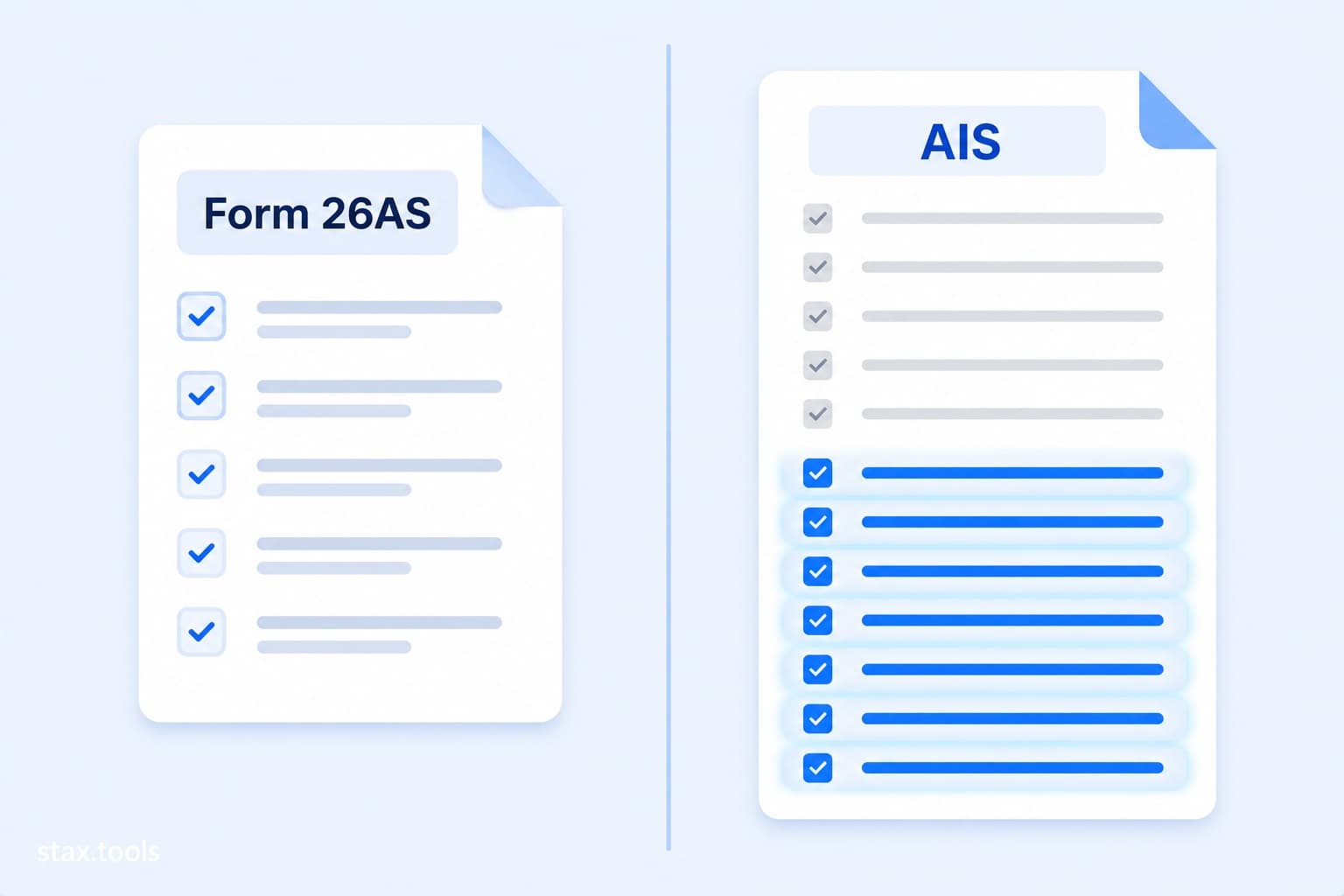
The scope difference — animated
The diagram below shows what each document covers. The blue items in the AIS column — the ones that animate in — are what Form 26AS does not show but the department already knows about.
How to access both documents
Form 26AS:
- Log into incometaxindia.gov.in with PAN and password
- Go to e-File → Income Tax Returns → View Form 26AS
- You are redirected to TRACES — click View Tax Credit
- Select Financial Year 2025-26, format HTML (for reading) or PDF (to save)
AIS:
- Same portal, same login
- Go to Services → Annual Information Statement (AIS)
- Select Financial Year 2025-26
- The AIS opens in a new view — browse individual transactions under each category
- Download the AIS PDF (password-protected: your date of birth in DDMMYYYY format)
- Also download the TIS (Taxpayer Information Summary) — the category totals that pre-fill your ITR
Both are free. AIS updates continuously as reporting entities submit their SFT and TDS returns. If you check AIS in May and again in late June, new entries may have appeared — banks often file SFT returns close to their due date.
The six AIS categories that generate most mismatches
1. Savings account interest
Banks report gross interest paid to each account during the FY — including amounts below the TDS threshold. Many taxpayers, seeing no TDS in their Form 26AS, assume the income is exempt or below the reporting requirement. It isn't. Savings interest above ₹10,000 is taxable (Section 80TTA deduction is available under the old regime for up to ₹10,000, not above). Interest of ₹14,000 across three banks — zero TDS deducted — is fully visible in AIS.
2. Equity dividends
Dividends from shares were made fully taxable in the investor's hands from FY2020-21. Companies and RTAs report dividend payments to the department. If you received ₹18,000 in dividends across seven holdings and declared none, AIS shows every payment. The department's processing system will add the undeclared amount to your income.
3. Mutual fund redemptions
CAMS and KFintech report every redemption — including switches from dividend to growth plan (which are themselves taxable redemptions). The department does not compute your capital gains for you; that's your obligation. But it sees that a redemption happened. If your AIS shows ₹4.2 lakh in mutual fund redemptions and your ITR shows zero capital gains, the mismatch triggers a processing hold. You need to declare the gain (or loss), not the redemption amount — but you must declare it.
4. Property transactions (full value)
Sub-registrars report property transactions above specified thresholds to the department. AIS shows the full sale and purchase consideration, not just the TDS portion. If you sold a flat for ₹75 lakh and the buyer deducted TDS on ₹76 lakh (stamp duty value), you need to reconcile your declared sale consideration with what the registrar reported. Discrepancies attract Section 143(1) adjustments.
5. FD interest below the TDS threshold
If your FD interest at a bank was ₹38,000 — below the ₹40,000 TDS threshold — the bank did not deduct TDS and the income does not appear in Form 26AS. But the bank still files its Annual Information Return reporting the interest paid. AIS shows ₹38,000. You must include it in your return under "Income from Other Sources."
6. Rent received from company tenants
If your tenant is a company, firm, or government body, they deduct TDS at 10% under Section 194I and file TDS returns. Form 26AS shows the TDS. AIS shows the full annual rent. The common mistake: declaring only the TDS amount as rent received rather than the gross rent. Rental income under "Income from House Property" must be the gross rent, not the net-of-TDS amount. The difference at ₹28,000/month is ₹33,600 in TDS against ₹3,36,000 in gross rent — declaring only the TDS as income understates rent by ₹3,02,400.
What to do when AIS shows something wrong
AIS is not always accurate. Banks sometimes mis-assign interest to the wrong PAN. Registrar records contain name mismatches that cause property transactions from an earlier year to appear in the current year's AIS. MF RTAs occasionally report switches in the wrong financial year. Employers may file corrected TDS returns that create duplicate entries.
For each incorrect transaction, the AIS portal has a feedback mechanism:
| Feedback option | When to use it | What happens |
|---|---|---|
| Information is correct | Transaction is accurate — confirm it | Confirms the entry; no change to AIS value |
| Information is not fully correct | Amount is wrong but the transaction exists | Enter the correct value; AIS shows "modified" amount; TIS may update |
| Information relates to other PAN / year | Transaction belongs to a different person or a different FY | Flagged as disputed; department reviews |
| Information is duplicate | Same transaction appears more than once | Duplicate flagged; typically one entry remains |
| Information is denied | You have no knowledge of or connection to this transaction | Strongest dispute; use for genuinely unknown entries |
Access: Open AIS → click the relevant transaction → click Feedback → select appropriate option.
Per the AIS Handbook published by the Income Tax Department, submitting feedback creates a record that the taxpayer disputed the entry. The AIS value shown to you updates to reflect "modified" or "disputed" status. However, the underlying reported value from the original source does not disappear — it remains visible to the department alongside your feedback. Feedback is not a guarantee that the error is fixed before you file.
If a dispute isn't resolved before July 31: File with the correct figure (what you believe is accurate), include a covering note in the remarks section, and keep the feedback submission record. The department considers feedback responses during processing.
Your AIS action plan before filing
| When | Action |
|---|---|
| Now (May 16+) | Download AIS. Do a first-pass check: do all categories match your own records (bank statements, broker statements, MF account)? |
| May–June 14 | Submit feedback on wrong entries immediately — the earlier, the more time for the portal to update |
| June 15 | Form 16 from employer arrives (CBDT deadline). Cross-verify salary and TDS against AIS Part A |
| June 15–30 | Download capital gains statement from CAMS (camsonline.com) or KFintech. Match each redemption in AIS against your own records |
| July 1–14 | Final AIS review. Confirm all feedback has been processed. Re-download AIS if you submitted corrections |
| July 15–31 | File ITR. Use the Income Tax Calculator to run both regimes with all income sources. E-verify within 30 days of submission |
A real scenario: the landlord with a company tenant
Priya owns a flat in Pune. Her tenant — a private limited company — pays ₹28,000 per month. The company deducts TDS at 10% under Section 194I: ₹2,800 per month, ₹33,600 per year. Priya's Form 26AS shows ₹33,600 in TDS.
Priya files her ITR without declaring rental income, reasoning that the TDS was already deducted. When her return is processed, the system cross-checks it against AIS. AIS shows ₹3,36,000 in annual rent (12 × ₹28,000), reported by the company in its TDS filings. Priya's return shows ₹0 income from house property.
The Section 143(1) adjustment adds ₹3,36,000 to Priya's income. She receives a demand notice.
The correct filing: declare ₹3,36,000 as gross rent under "Income from House Property." Deduct 30% standard deduction under Section 24(a): ₹1,00,800. Net taxable income from property: ₹2,35,200. The ₹33,600 TDS credit offsets the resulting tax liability. The net demand, if any, is a fraction of the notice amount — and no scrutiny follows a correctly filed return.
The same logic applies to any income source the department knows about. AIS is not a trap — it is a record you can see before you file. Using it correctly protects you from notices that are otherwise entirely avoidable.
Run your tax calculation with all income sources
Before choosing a regime and filing, use the Income Tax Calculator with your complete income picture — not just salary. Add:
- Savings and FD interest from AIS
- Dividends from AIS
- Capital gains from MF/equity redemptions
- Rental income if applicable
The calculator runs both regimes simultaneously so you can compare the tax under each with all income sources included — not just salary deductions. It runs entirely in your browser.
Catching an AIS mismatch before filing costs nothing. Missing it after filing costs time, a formal response, and potentially interest under Section 234B.
My Take
The most common AIS mismatch I see is savings account interest — especially from secondary or dormant accounts people forgot they had. If you have a salary account at one bank and an account from college at another, the second bank is reporting interest to AIS every quarter. It shows up in AIS simply because the account exists, even if you never touch it. Before filing, download your AIS and go to the "Interest from savings accounts" category. Add up every entry from every bank. Then compare the total against what you have in your own records.
The ₹10,000 Section 80TTA exemption under the old regime applies to the total savings interest across all accounts combined, not ₹10,000 per bank. Many people mistakenly claim it on only their primary account's interest. File with the AIS-reported total and claim the single ₹10,000 deduction correctly — understating interest income is what triggers the Section 143(1)(a) adjustment notices that eat six months of your attention.
Grishma covers Indian markets and personal finance for Stax Tools. She tracks RBI policy, household budgets, and investment math for working Indian families.
Sources & methodology
- Annual Information Statement — Income Tax India — AIS structure, access process, feedback options, and Taxpayer Information Summary (TIS) function. AIS was made taxpayer-accessible in November 2021 under Section 285BB as inserted by Finance Act 2020; SFT reporting obligations for banks, registrars, and RTAs are specified under Rule 114E of the Income Tax Rules.
- AIS Handbook — Income Tax Department — Official guide to AIS categories, reporting entities, feedback mechanism, and how disputed values are treated during ITR processing. Source for the statement that feedback creates a record of dispute but does not remove the original reported value from the department's view.
- TRACES — TDS Reconciliation Analysis and Correction Enabling System — tdscpc.gov.in — Form 26AS Part A/B/C structure; TDS return filing by deductors.
- Statutory basis: Section 285BB Income Tax Act 1961 (AIS); Section 194I (TDS on rent — 10% for company/firm tenants); Section 80TTA (savings interest deduction up to ₹10,000 under old regime); Section 143(1)(a) (adjustments when return income is less than department data); Section 234B (interest on advance tax shortfall); Section 24(a) (30% standard deduction on net annual value of house property).
- TDS threshold figures: ₹40,000/year per bank for FD interest (₹50,000 for senior citizens) as per Section 194A; ₹5,000/year per company for equity dividends as per Section 194.
- Rental income example (Priya) is illustrative. Actual tax liability depends on total income, applicable slab, surcharge, and cess. The 30% standard deduction under Section 24(a) applies regardless of actual expenses incurred.
Last reviewed: 2026-05-16. AIS data may update as reporting entities file SFT returns closer to their due dates — check AIS more than once before filing.
Grishma
Finance Content Writer
Grishma writes about personal finance, investing, and tax planning for Indian readers — translating complex regulatory changes into clear, actionable guidance.
More by Grishma →Found this useful?
Browse 235+ free privacy-first tools — no login, no uploads, instant results.