
How to Read an IP Address, Subnet Mask and CIDR Block (Without Being a Network Engineer)
FAQ-style explainer: what the four octets in an IP address mean, what /24 and /16 CIDR notation does, how to calculate broadcast address and usable host range, and when you need a subnet calculator.

This article is currently only available in English. A Français translation is coming soon.
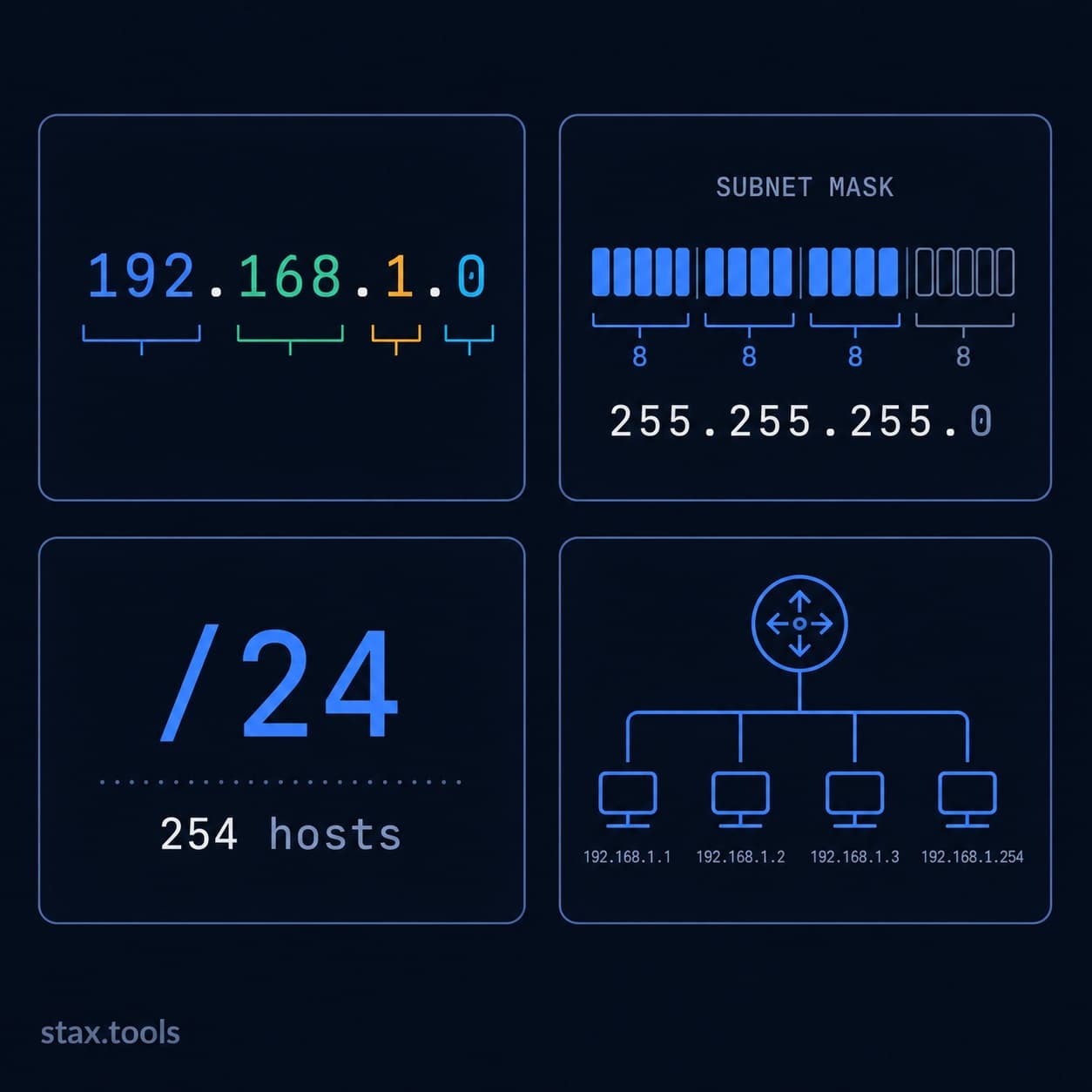
IP addresses appear everywhere in software development — server config files, AWS VPC settings, firewall rules, Docker networking, SSH commands. Most developers learn just enough to get unblocked, then forget it until the next time something breaks. This guide answers the questions that actually come up in practice.
What do the four numbers in an IP address actually mean?
An IPv4 address like 192.168.1.45 is four 8-bit numbers separated by dots. Each number ranges from 0 to 255 because 2⁸ = 256. Together the four numbers form a 32-bit binary string:
192      168      1        45
11000000 10101000 00000001 00101101
The 32 bits give a theoretical maximum of 2³² = 4,294,967,296 unique addresses. In practice, huge blocks are reserved — for private networks, loopback, multicast, documentation — leaving approximately 3.7 billion routable public addresses, which is why IPv4 exhaustion is a real problem.
The four groups are called octets. There is no inherent meaning to any individual octet on its own — the meaning comes from how the subnet mask splits them.
What is a subnet mask?
A subnet mask defines where the network portion of an address ends and the host portion begins. The mask 255.255.255.0 in binary is:
11111111 11111111 11111111 00000000
Twenty-four 1s, then eight 0s. The 1s mark the bits that identify the network; the 0s mark the bits that identify individual hosts within that network.
Applied to 192.168.1.45:
- Network address:
192.168.1.0(all host bits set to 0) - Broadcast address:
192.168.1.255(all host bits set to 1) - Usable host range:
192.168.1.1–192.168.1.254(254 hosts)
The rule for usable hosts: total addresses − 2 (network address and broadcast address are reserved).
What does the /24 in 192.168.1.0/24 mean?
The /24 is CIDR notation (Classless Inter-Domain Routing). The number after the slash is the prefix length — the count of 1-bits in the subnet mask. /24 means 24 ones, which is exactly 255.255.255.0.
CIDR replaced the old Class A/B/C system in 1993 because fixed classes were wasteful. The old Class B gave you 65,534 hosts whether you needed 100 or 60,000. CIDR lets you size networks precisely.
Common prefix lengths and what they mean:
| CIDR | Subnet Mask | Usable Hosts | Typical Use |
|---|---|---|---|
| /30 | 255.255.255.252 | 2 | Point-to-point links |
| /29 | 255.255.255.248 | 6 | Small office |
| /28 | 255.255.255.240 | 14 | Small office |
| /27 | 255.255.255.224 | 30 | Department subnet |
| /26 | 255.255.255.192 | 62 | Department subnet |
| /25 | 255.255.255.128 | 126 | Mid-size office |
| /24 | 255.255.255.0 | 254 | Standard office LAN |
| /23 | 255.255.254.0 | 510 | Campus subnet |
| /22 | 255.255.252.0 | 1,022 | Large campus |
| /21 | 255.255.248.0 | 2,046 | Data centre rack group |
| /20 | 255.255.240.0 | 4,094 | Large data centre |
| /16 | 255.255.0.0 | 65,534 | AWS VPC default |
| /8 | 255.0.0.0 | 16,777,214 | ISP or very large network |
For anything beyond a small network, use the Stax IP Subnet Calculator — it computes network address, broadcast, host range, wildcard mask, and number of subnets automatically.
What are private IP address ranges?
RFC 1918 reserves three address blocks for private (non-routable) use. These addresses can be used freely inside a network but cannot appear on the public internet.
| Range | CIDR | Typical use |
|---|---|---|
| 10.0.0.0 – 10.255.255.255 | 10.0.0.0/8 | Corporate networks, cloud VPCs |
| 172.16.0.0 – 172.31.255.255 | 172.16.0.0/12 | Docker default bridge network |
| 192.168.0.0 – 192.168.255.255 | 192.168.0.0/16 | Home routers and LANs |
Additionally: 127.0.0.0/8 is loopback (your machine talking to itself — localhost resolves to 127.0.0.1). 169.254.0.0/16 is link-local (APIPA — assigned when a DHCP server isn't found).
When you see 172.17.0.x on a Docker container, that's the Docker bridge subnet — Docker claims the 172.17.0.0/16 range by default and assigns containers from it.
How do I calculate the broadcast address manually?
Given a network address and CIDR prefix, set all host bits to 1.
Example: 10.0.1.0/22
/22means 22 network bits, 10 host bits- Write the last two octets in binary:
00000001 00000000 - Set all 10 host bits to 1: the last 2 bits of the third octet + all 8 bits of the fourth:
00000011 11111111 - Convert back:
3.255 - Broadcast:
10.0.3.255 - Usable range:
10.0.1.1–10.0.3.254(1,022 hosts)
In practice, you won't do this mentally for anything above /24. The IP Subnet Calculator handles it instantly.
What is a wildcard mask and when do I use it?
A wildcard mask is the bitwise inverse of the subnet mask. Where the subnet mask has 1s, the wildcard has 0s, and vice versa.
255.255.255.0 (subnet) → 0.0.0.255 (wildcard)
Wildcard masks appear in:
- Cisco ACLs and routing protocols:
permit ip 192.168.1.0 0.0.0.255means "match any address in the 192.168.1.0/24 network" - OSPF area statements:
network 10.0.0.0 0.255.255.255 area 0
They do NOT appear in standard Linux networking, AWS, or most modern network config — those all use CIDR prefix notation.
IPv4 vs IPv6: do I need to care?
For most server and cloud work in 2026, yes — but not urgently.
IPv6 uses 128-bit addresses written in eight groups of four hex digits: 2001:0db8:85a3:0000:0000:8a2e:0370:7334. The available address space is 2¹²⁸ = approximately 3.4 × 10³⁸ — enough to assign a unique IPv6 address to every atom on the surface of the Earth, thousands of times over.
AWS, Google Cloud, and Azure all support dual-stack (IPv4 and IPv6 simultaneously). As of early 2026, IPv6 carries approximately 45% of Google's traffic globally, up from ~35% in 2023. If you're deploying a new internet-facing service, adding IPv6 support from the start is increasingly standard practice and required by some governmental procurement standards (the US federal government mandated IPv6 for external services in 2024 under OMB M-21-07).
For internal networking, private cloud, and developer tooling, IPv4 remains dominant. You are unlikely to need subnet calculations for IPv6 in day-to-day work.
How do AWS VPC subnets work?
AWS VPCs default to a 10.0.0.0/16 CIDR block — 65,534 usable IPs. Within the VPC, you divide that into subnets typically sized at /24 (254 hosts) per availability zone. AWS reserves five addresses per subnet (network address, broadcast, VPC router, DNS resolver, and one future-use), so a /24 gives you 251 usable addresses rather than 254.
A typical three-AZ setup:
10.0.1.0/24— AZ-a public subnet10.0.2.0/24— AZ-b public subnet10.0.3.0/24— AZ-c public subnet10.0.11.0/24— AZ-a private subnet10.0.12.0/24— AZ-b private subnet10.0.13.0/24— AZ-c private subnet
Keeping public and private subnets in different ranges (1x vs 1x) makes route table management cleaner and simplifies security group rules.
When should I use a subnet calculator?
Any time you need to:
- Verify that two IP addresses are in the same subnet (can they communicate without a router?)
- Plan VPC or on-premises network address space
- Calculate how many hosts fit in a given CIDR block
- Convert between subnet mask notation and CIDR notation
- Find the network and broadcast address for a given IP + prefix
The Stax IP Subnet Calculator handles all of the above — input any IP address with CIDR notation and it returns network address, broadcast address, usable host range, wildcard mask, number of hosts, and binary representation. It runs entirely in your browser.
By Harshil Shah, developer and founder at Stax Tools. IPv6 traffic figures sourced from Google's published IPv6 statistics (google.com/intl/en/ipv6/statistics.html).
Sources & methodology
- RFC 1918 — Address Allocation for Private Internets, IETF, February 1996
- RFC 4632 — Classless Inter-domain Routing (CIDR), IETF, August 2006
- Google IPv6 Statistics — google.com/intl/en/ipv6/statistics.html (accessed May 2026)
- OMB Memorandum M-21-07 — Completing the Transition to Internet Protocol Version 6, US Executive Office, November 2020
Harshil
Developer & Founder, stax.tools
Harshil is the developer behind stax.tools, building privacy-first tools that run entirely in your browser.
More by Harshil →Found this useful?
Browse 235+ free privacy-first tools — no login, no uploads, instant results.