
Stax vs Smallpdf vs JSONLint vs TinyPNG: when does browser-only beat cloud SaaS?
Five honest comparisons between Stax tools and the popular cloud-based SaaS alternatives — where each wins, where each loses, and how to verify the privacy claims for yourself.

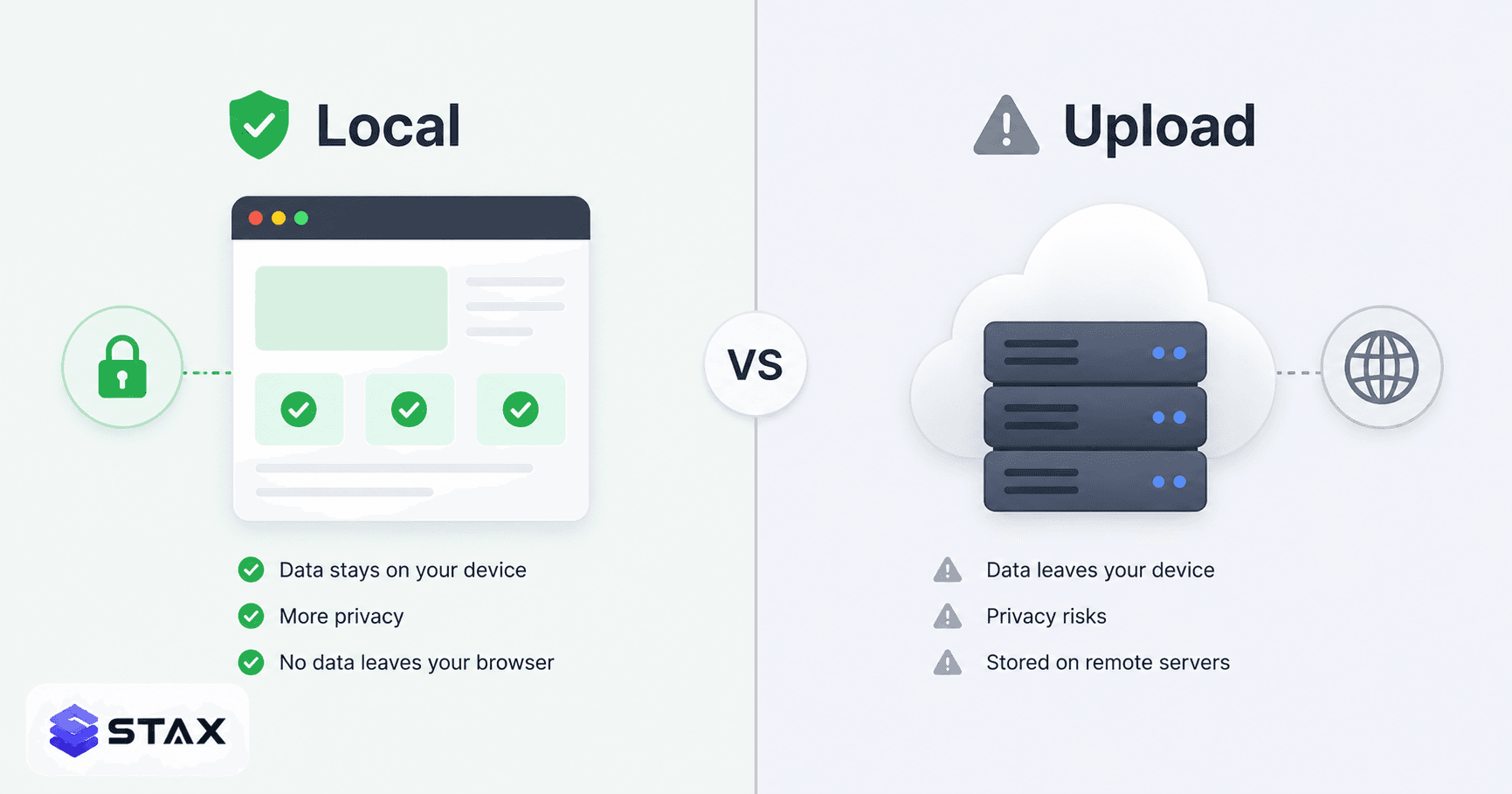
We just shipped five "alternative to" pages on stax.tools — comparisons against JSONLint, regex101, Smallpdf, TinyPNG, and jwt.io. The reason is simple: a lot of people land on those tools through Google and bounce straight off because they're looking specifically for something else (a daily-limit-free version, a privacy-friendlier version, or just a less ad-heavy interface). Comparison pages are the SEO-friendly way to be findable for those searches.
But this post isn't really about SEO — it's about an honest question we kept getting from early users: when does a browser-only tool actually beat a polished cloud SaaS, and when does it lose?
The honest answer is "it depends on what you're optimizing for." Let me walk through each comparison and where the trade-offs actually lie.
Smallpdf vs Stax PDF Tools
Where Smallpdf wins: PDF-to-Word conversion (real text reflow, not just embedded images), OCR on scanned PDFs, e-signature workflows, multi-user document sharing. These need server-side or AI infrastructure that doesn't translate cleanly to the browser. Smallpdf is best-in-class for these use cases.
Where Stax wins: Compress, merge, split, rotate, watermark, page numbers, image-to-PDF — the eight core PDF operations 90% of users actually need. All run in your browser via pdf-lib and PDF.js. No daily limit (Smallpdf is 2 free tasks/day). No upload (Smallpdf POSTs your file to their backend). No paywall.
The real test: open Chrome DevTools → Network tab. Compress a PDF on Smallpdf. You'll see a multi-MB POST request carrying your file. Compress the same PDF on Stax. Only static assets load. Your PDF never leaves your machine. You can verify this in 30 seconds.
Verdict: Use Smallpdf when you need OCR, PDF↔Word, or e-signatures. Use Stax for everything else (which is most of what people actually do). Full comparison →
JSONLint vs Stax JSON Formatter
This one has a twist: JSONLint is also technically client-side. The validation happens in the browser. But two things changed our positioning:
- JSONLint shows ads on the input field area. Stax shows ads only in non-blocking sidebar slots (post-AdSense approval) and never inside the editor area.
- JSONLint has a public REST API that some teams use for CI validation. We don't have that yet (Q3 2026 plan). For scripted CI workflows, JSONLint or
jsonlint-clifrom npm wins. - Stax bundles JSON formatter + tree viewer + JSON↔CSV + JSON↔TypeScript + JSON↔YAML in one place. JSONLint is more focused — just validation and beautification.
Verdict: JSONLint for the API + name recognition. Stax for the wider toolkit and cleaner editor. Both are safe to paste production data into — verify with the Network tab. Full comparison →
TinyPNG vs Stax Image Compressor
TinyPNG won this category for a real technical reason: their proprietary "smart-quality" algorithm consistently produces 5-15% smaller files than off-the-shelf libraries at the same visual quality. If you're optimizing hero images for a marketing site, those bytes matter.
Where Stax wins: No daily limit (TinyPNG free tier: 20 images/month). No upload (TinyPNG POSTs every image). Batch processing. WebP output (which TinyPNG supports too, fairly).
Where TinyPNG wins: Maximum compression ratio for the same visible quality. Tuned codec for photographic content. API for programmatic use.
Verdict: TinyPNG for marketing-site hero images where each KB matters. Stax for day-to-day "compress my screenshot for Slack" or "shrink this app screenshot batch." For the typical case, Stax saves you from the daily limit and the upload step. Full comparison →
regex101 vs Stax Regex Tester
This is actually a tough one. regex101 is the gold standard. Token-by-token explanation popups, save-and-share via URL, debugging mode, broad flavor support (PCRE, Python, Go, Java in addition to JS). It's genuinely the best tool for learning regex.
Stax is positioned for working, not learning: quick test, copy pattern, paste into your code. It's faster for the moment when you already know what you're doing and just need a sanity check. Plus it's wired into our Regex Cheat Sheet for syntax lookup, which regex101 doesn't have inline.
Verdict: regex101 for learning and PCRE-specific features. Stax for rapid testing on JavaScript flavor. Use both — they complement each other. Full comparison →
jwt.io vs Stax JWT Decoder
This one is honestly the closest comparison. Both are 100% client-side decoders (verifiable on the Network tab). Both decode the same algorithms. Both show expiry warnings.
Where jwt.io wins: Signature verification with secret/key entry. Algorithm picker for testing different sign types. The classic three-pane editor that everyone recognizes.
Where Stax wins: Integrated with Base64 encoder, hash generator, regex tester. Privacy-first brand positioning (jwt.io is owned by Auth0/Okta, includes their analytics).
Verdict: Use whichever you have open. The output is the same. Where Stax shines is the workflow — when you're debugging an auth bug and need to bounce between JWT decoding, Base64, and regex testing in 15 seconds. Full comparison →
The pattern across all five comparisons
Three things consistently differentiate browser-only tools from cloud SaaS in 2026:
Daily limits exist for SaaS tools, not browser tools. Free tiers on cloud SaaS are subsidized by paid tiers — there's a marginal cost per task. Browser tools have zero marginal cost. We don't have to limit you to 2 PDFs a day because there's no server bill.
Privacy is verifiable in 30 seconds. Open DevTools → Network → use the tool. If your data appears in a POST body, the tool isn't really client-side. This works for any tool, ours or anyone else's. Run the test before trusting any tool with sensitive data.
AI features still require backends. OCR, summarization, semantic search, autocompletion — these need GPUs and language models. We can't ship those as pure browser tools yet. Smallpdf, jwt.io's verification, and TinyPNG's smart-compression all fall into this bucket. For pure deterministic operations (compression, formatting, encoding, decoding, hashing), browser-only is strictly better.
The future probably isn't "everything goes back to the browser" or "everything moves to the cloud." It's more nuanced: deterministic operations stay client-side, AI/ML operations live in the cloud with consent-driven uploads, and the line keeps moving as WebAssembly and on-device AI models (like Web LLM) make more things possible locally.
For now, when you have a choice and the data is sensitive: pick the browser-only tool. When you need AI or specialized algorithms: pick the cloud SaaS, but verify their privacy policy before pasting production data.
Two more comparisons worth knowing
iLovePDF vs Stax PDF Suite
iLovePDF is the most feature-rich free PDF web tool, offering 20+ operations. It uploads files to its servers in Spain and retains them for a short period. For the eight operations Stax handles (compress, merge, split, rotate, watermark, page numbers, image-to-PDF, PDF info), Stax's client-side approach is directly competitive.
Where iLovePDF wins: More PDF operations total, including PDF to PowerPoint, PDF to Excel, OCR on scanned PDFs, and PDF repair. If you regularly need operations beyond the core eight, iLovePDF's breadth is unmatched in the free tier.
Where Stax wins: Zero uploads for the core eight operations. No file size limits imposed by server quotas. No account required. Works offline after first load. For confidential PDFs — NDA agreements, tax documents, bank statements — the no-upload advantage is meaningful.
See the iLovePDF alternative comparison for the full breakdown.
Canva vs Stax Design Utilities
Canva is a design platform; Stax is a utility toolkit. There's limited direct competition. But in the spaces where they overlap — social media image sizing, color tools, QR code generation — the comparison is instructive.
Canva's advantage: templated design, brand kits, collaboration, export to multiple formats, AI image generation. These are platform-level capabilities that Stax doesn't attempt.
Stax's advantage: When you just need to resize an image to a specific pixel dimension without logging into a design account, or check a color contrast ratio without opening a full design tool, utility-speed tools save time. The Image Resizer takes 10 seconds; doing the same in Canva requires opening a new project, setting canvas dimensions, importing the image, and exporting.
The right model is complementary, not competitive: use Canva for design work, use Stax for quick utility tasks that don't need a full design environment.
Choosing the right tool for sensitive data
The 30-second verification test applies to every tool, not just the ones we've compared:
- Open DevTools (F12) → Network tab → clear the log
- Perform your operation (compress, format, convert, decode)
- Filter for Fetch / XHR requests
- If you see a POST request containing your file or data content: the tool is not client-side
- If you see only static asset requests: the tool is genuinely processing locally
This test works on stax.tools, on JSONLint, on jwt.io, and on any tool claiming to be client-side. Run it on any tool handling data you're not comfortable uploading — it takes 30 seconds and provides certainty that no marketing copy can.
The pattern across all comparisons
Three things consistently differentiate browser-only tools from cloud SaaS in 2026:
Daily limits exist for SaaS tools, not browser tools. Free tiers on cloud SaaS are subsidized by paid tiers — there's a marginal cost per task. Browser tools have zero marginal cost per use.
Privacy is verifiable in 30 seconds. Open DevTools → Network → use the tool. If your data appears in a POST body, the tool isn't client-side. Run this test before trusting any tool with sensitive data.
AI features still require backends. OCR, summarization, semantic search — these need GPUs and language models. For pure deterministic operations (compression, formatting, encoding, decoding, hashing), browser-only is strictly better.
For now: when you have a choice and the data is sensitive, pick the browser-only tool. When you need AI or specialized algorithms, pick the cloud SaaS — but verify their privacy policy before pasting production data.
— Want a tool we don't have yet? Email hello@stax.tools. We keep a list.
Harshil
Developer & Founder, stax.tools
Harshil is the developer behind stax.tools, building privacy-first tools that run entirely in your browser.
More by Harshil →Found this useful?
Browse 235+ free privacy-first tools — no login, no uploads, instant results.